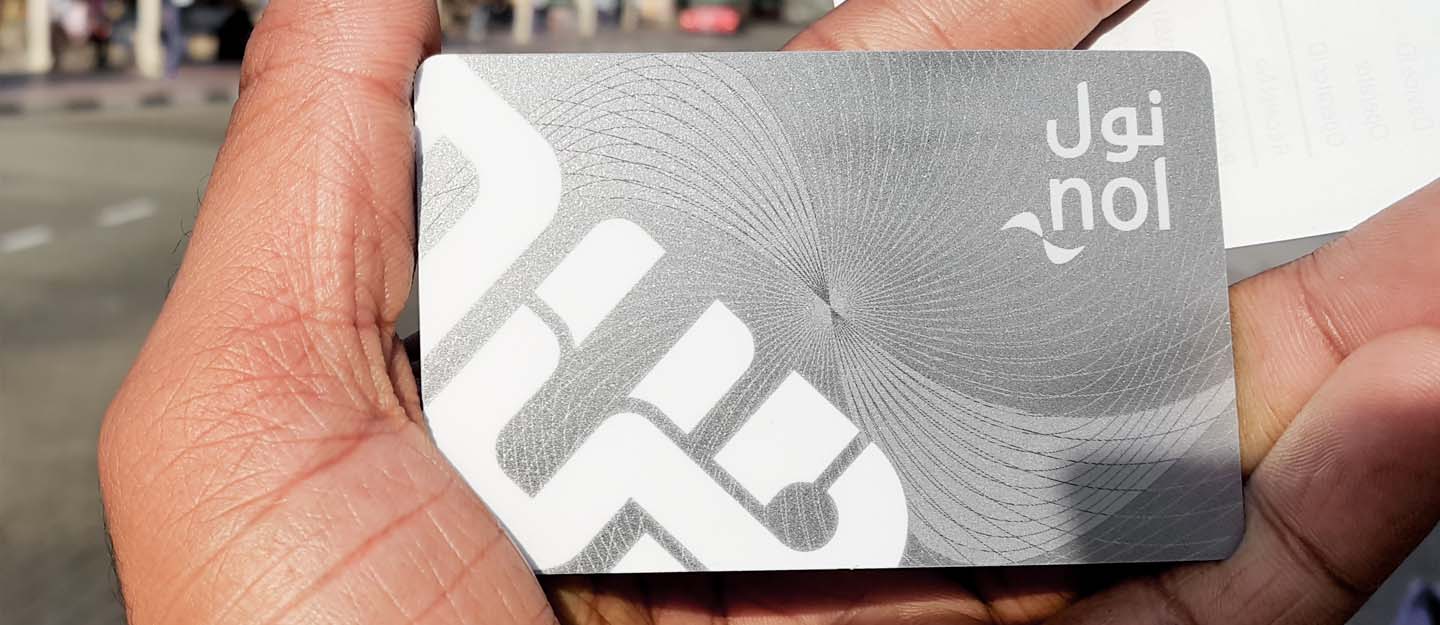
The Nol Card is an essential part of navigating public transportation in Dubai, allowing users to access a variety of transit options, including buses, metro trains, and water taxis. To enjoy a smooth travel experience, it is crucial to keep track of your Nol Card balance. One of the most effective ways to do this is through the official Nol Card website. In this article, we will explore how to check your balance online, the benefits of doing so, and essential tips to enhance your experience.
What is the Nol Card?
The Nol Card is a smart travel card used throughout Dubai’s public transport system. It comes in several types—Red, Silver, Gold, and Blue—each designed to meet different user needs. Whether you are a tourist or a local resident, the Nol Card simplifies your commuting experience and often provides discounts for regular users.
Why You Should Monitor Your Nol Card Balance
Monitoring your Nol Card balance is vital for various reasons:
- Preventing Inconvenience: Knowing your balance helps you avoid unexpected disruptions during your travels.
- Effective Budgeting: Keeping track of your balance allows you to manage your transportation expenses more effectively.
- Identifying Spending Patterns: Regularly checking your balance can help you understand your travel habits and expenses.
Accessing the Nol Card Website
To check your Nol Card balance online, you need to visit the official Nol Card website. The platform is designed to be user-friendly, enabling easy navigation for all users.
Step-by-Step Process
- Open Your Web Browser: Launch your preferred web browser on your device.
- Visit the Nol Card Website: Enter the official Nol Card website URL in the address bar.
- Locate the Balance Check Section: Look for the area dedicated to checking your balance, typically found on the homepage.
- Log In or Create an Account: Existing users can log in with their credentials, while new users will need to sign up by providing personal information and linking their Nol Card.
- Input Your Card Details: After logging in, enter your Nol Card number or any other requested information to access your account.
- View Your Balance: Once you’ve entered the necessary details, your current balance will be displayed, along with transaction history.
Advantages of Checking Your Balance Online
Using the Nol Card website for balance checks has numerous benefits:
Convenience
Accessing your balance online is quick and easy, allowing you to check it anytime without the need for physical kiosks or customer service centers.
Detailed Transaction History
The website provides not only your current balance but also a detailed transaction history, enabling you to track your travel expenses effectively.
Quick Recharge Options
If your balance is low, the website usually offers direct options for recharging your Nol Card. You can link a credit or debit card for easy reloading.
User-Friendly Interface
The Nol Card website is designed to be intuitive, making it accessible for users of all ages and technical abilities.
Common Issues and Solutions
While checking your balance online is usually straightforward, you may encounter some common issues. Here are a few and their solutions:
Difficulty Logging In
If you have trouble logging in, ensure you are entering the correct username and password. Use the “Forgot Password” link if you need to reset your password.
Balance Not Displaying
If your balance does not appear, double-check that you have entered the correct card number. If the issue persists, contact customer support for assistance.
Temporary Website Outages
The website may occasionally undergo maintenance. If you cannot access it, try again later or look for updates on the Nol Card’s social media channels.
Tips for Effective Balance Management
To enhance your experience with your Nol Card, consider these tips:
Set Reminders
Set regular reminders to check your balance, ensuring you never run low unexpectedly.
Download the Mobile App
In addition to the website, consider downloading the Nol Card mobile app for on-the-go access to your balance and other features.
Keep Your Information Updated
Ensure that your registered email and phone number are current to receive notifications about your balance and important updates.
Review Your Usage Regularly
Regularly checking your transaction history can help you identify any unusual spending patterns and manage your travel expenses more efficiently.
Conclusion
Checking your Nol Card balance online is a simple yet effective way to manage your public transportation needs in Dubai. By following the steps outlined in this guide, you can ensure a smooth travel experience and avoid any unexpected disruptions. With the convenience of online access, you can easily monitor your balance, review your transactions, and recharge your card as needed. Implementing these practices will help you stay organized and make the most of your Nol Card.